
Deleting a contract
You can delete a contract from the Contract View page or from the folder listing page.
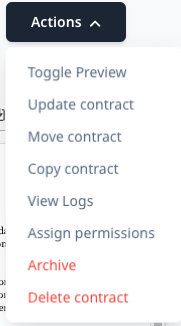
When you are viewing a contract, you can click the Actions menu on the top right of the page and you'll see the Delete contract option right down the bottom.
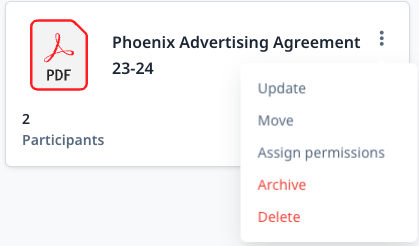
If you are in the Folder view, you can click on the three dots in the top right and click Delete to initiate a delete
Can I restore a contract I've deleted?
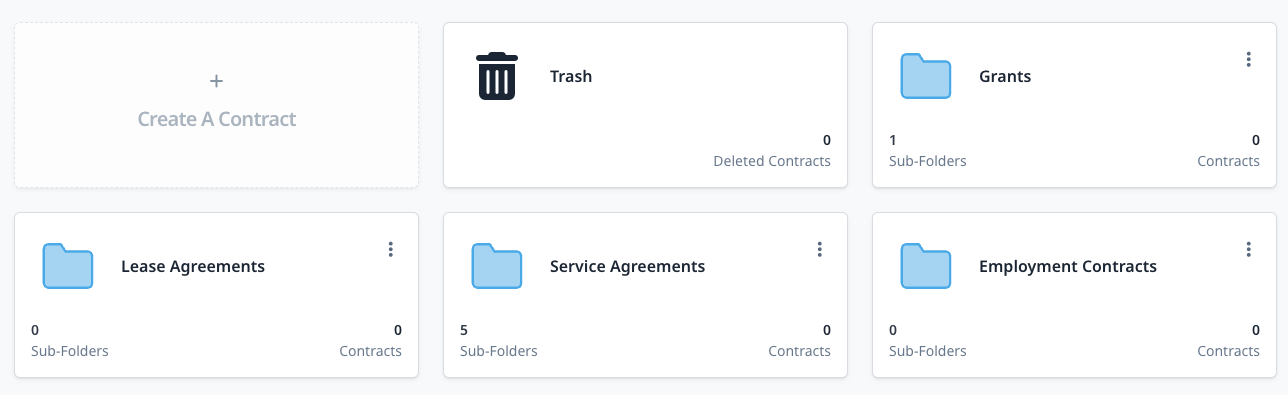
As of Feb 2024, we introduced a feature called soft delete. This means that the contract is removed from the users view and moved to a Trash folder.
You can see this Trash folder on the homepage. Clicking in to it will show you any contracts you have deleted and allow you to restore them.
Contracts that are in Trash will be automatically removed 30 days after they are inputted in to there.
What happens if there's nothing in my Trash folder?
Please reach out to [email protected]
Who can see the Trash folder?
Only account owners can see the Trash folder